the kawaii experience Controls and UI Guide
Learn the menus, prompts, and redeem field before you farm hearts.
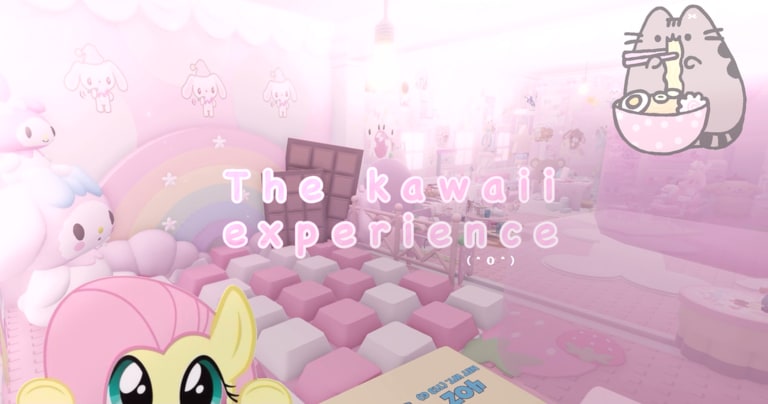
Mastering controls and UI in the kawaii experience saves you from wasting hearts on mis-taps and missing code windows after a shutdown. This Roblox cutecore hangout from pwwpi is still in development, so button placement can drift — treat this page as a stable map of what to look for, then confirm labels on your current build.
Pair this walkthrough with Getting Started for the first-hour checklist and the Codes Hub once you can open the redeem field reliably.
Default Roblox movement (PC)
| Input | Action |
|---|---|
W A S D | Move around the pastel map |
| Mouse | Look / aim camera |
Space | Jump onto platforms, stools, and photo ledges |
Shift (if enabled) | Sprint — useful between cafe and claw islands |
R / reset | Character reset if you soft-lock in decor |
| Esc / Roblox menu | Leave, shift-lock, and settings |
Most players keep Shift Lock off in crowded photo spots so the camera can orbit anime props freely. Re-enable it when you need precise claw approaches.
Mobile and tablet tips
- Use the on-screen joystick for travel; pinch-zoom carefully near dense clutter so you can still see proximity prompts.
- Tap prompts once and wait — double-tapping during a loading tween can cancel cafe orders.
- Rotate the camera before interacting with TVs or claw cabinets so the prompt is centered.
- If UI buttons stack after a patch, leave and join a fresh server (stale mobile UIs are common during development).
Core UI surfaces to learn first
- Lobby / spawn HUD — hearts balance, quick access icons, and any UPDATE banner the creators leave on-screen.
- Codes / redeem field — usually inside a menu or settings-style panel; paste strings exactly (Codes Hub).
- Cafe order UI — snack and drink prompts that feed the heart loop (cafe and minigames).
- Minigame panels — start, score, and reward claim buttons; claim before walking away.
- Gachapon & claw UIs — confirm spend cost in hearts before you pull (gachapon and claws).
- Decoration / inventory panels — place, rotate, and store furniture for your corner (decorate your room).
- Badge toast / inventory — Roblox badge grants may appear as brief notifications; verify in inventory afterward (badges and secrets).
Proximity prompts and interaction etiquette
Cutecore maps lean on Roblox proximity prompts (the E / tap popups on props). Best practices:
- Stand still until the prompt fully appears.
- Read the label — some props are photo props only; others spend hearts.
- Back up one step if a prompt refuses to open; dense props can overlap hitboxes.
- After a shutdown, re-learn which TV or claw cabinet still has an active prompt — development builds move furniture.
Codes field workflow
- Join place ID
120178272429941and wait for full UI load (max 8 players). - Open the in-game menu that hosts Codes.
- Paste from the Codes Hub — never from DMs asking for your password.
- Confirm once; already-redeemed codes fail silently or with an invalid message.
- Check hearts / inventory, then plan spends with the tier list.
If the field vanished after the 27 November 2026 update window, rejoin and skim the November 2026 update notes plus the Updates Hub.
Camera, photos, and performance
Heavy pastel clutter looks gorgeous and can tank FPS on low-end devices. Mitigations:
- Lower graphics quality in Roblox settings when farming hearts.
- Face away from dense neon walls during minigames if input lag spikes.
- Use photo mode / freecam only when you are not mid-order at the cafe.
- Favorites and the pwwpi group (58k+ members) keep you informed when art updates change lighting.
Common UI failures and fixes
| Symptom | Likely fix |
|---|---|
| No Codes button | Fresh server; check Updates |
| Prompt will not appear | Reposition; clear overlapping avatars |
| Hearts not updating | Wait for reward claim; rejoin |
| Stuck in furniture | Reset character |
| Soft muted audio / muted UI | Roblox client audio settings |
Accessibility and comfort
- Enable captions or volume carefully — cafe ambience can mask prompt SFX.
- Take breaks from bright pink neon if you are light-sensitive.
- Use party chat sparingly in eight-player rooms so prompts stay readable.
Related pages
Learn the UI once, then let the cafe loop and claw islands become muscle memory — that is how cutecore sessions stay cozy instead of confusing.
Frequently Asked Questions
Quick answers for cafe runs, hearts, claws, and badges.
Where is the codes button in the kawaii experience?
Open the in-game menu after the lobby loads and look for the Codes or redeem field. Placement can move while the game is in development — rejoin a fresh server after updates.
Do mobile players have different controls?
Movement uses the on-screen stick and tap prompts. Camera pinch and single taps work better than spam-tapping during cafe orders.
Why will a proximity prompt not open?
Stand closer, clear overlapping players, or approach from another angle. Development props sometimes shift hitboxes after art patches.
Should I use Shift Lock?
Optional. Many players leave it off for sightseeing and turn it on when lining up claw attempts.